Power BI custom visuals for project controls

Schedule intelligence for PMOs, inside Power BI.

Critical path Gantt charts, DCMA 14-Point schedule health, baseline variance and resource loading, read from the Primavera P6 or Microsoft Project export you already produce. Built for the PMOs that run energy, utility and data center programs; useful to any PMO that lives in Power BI.

$12
Creator, per user per month · Viewer $5
14
DCMA 14-Point Assessment checks, graded A to F
30,000
Rows per visual
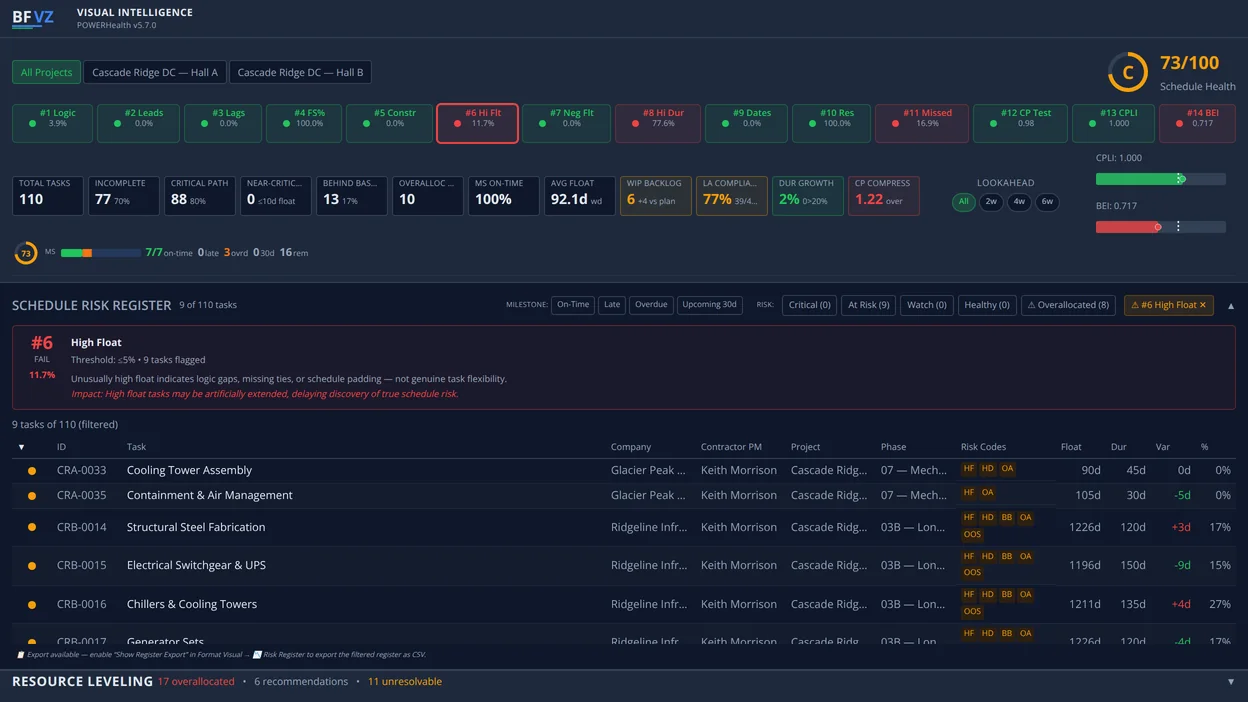
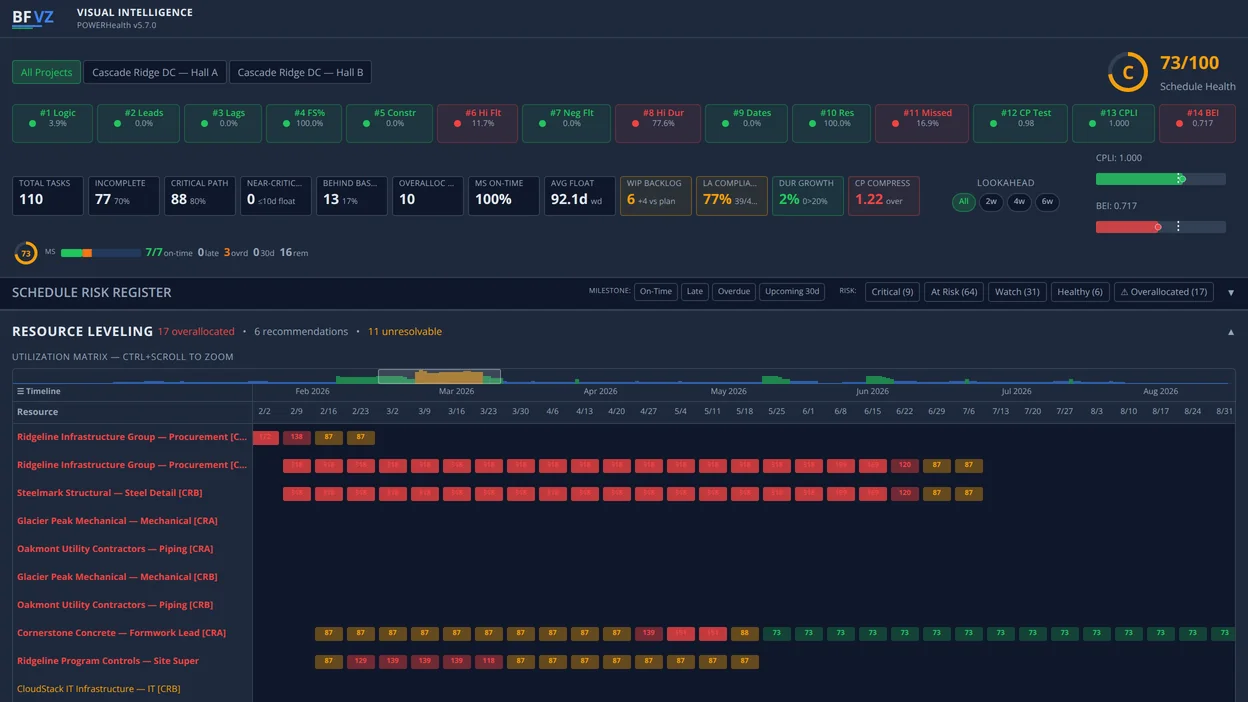
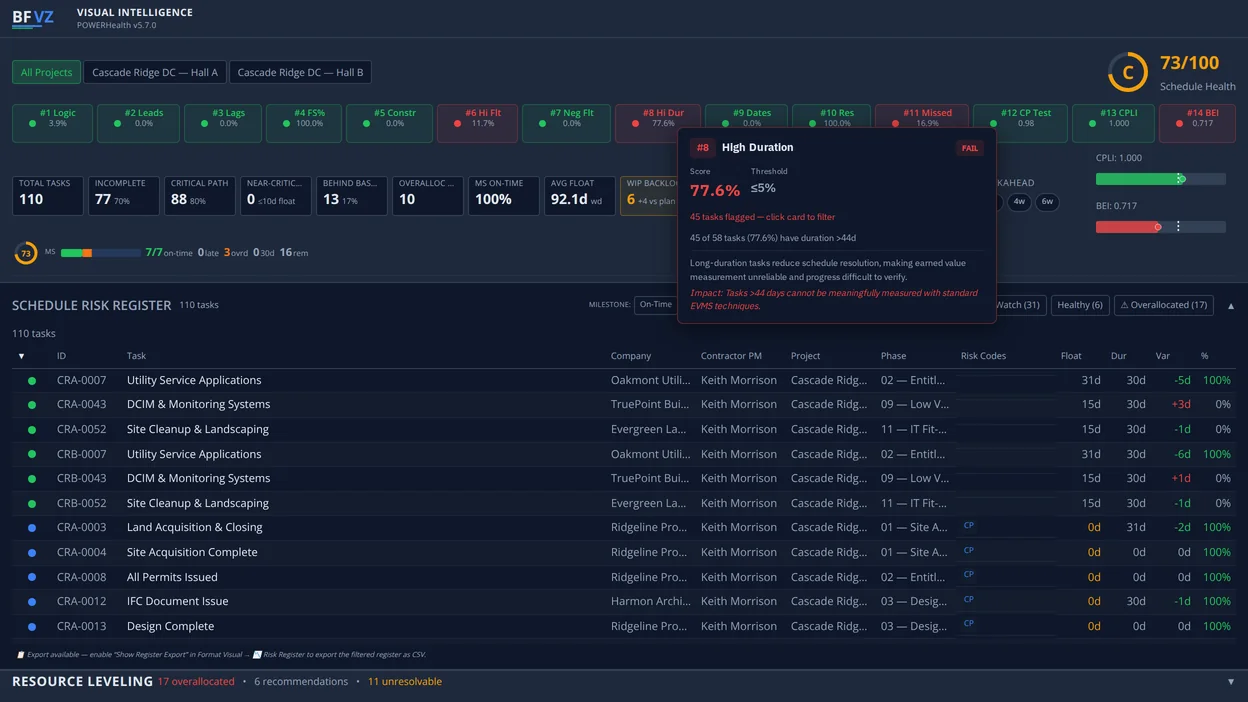
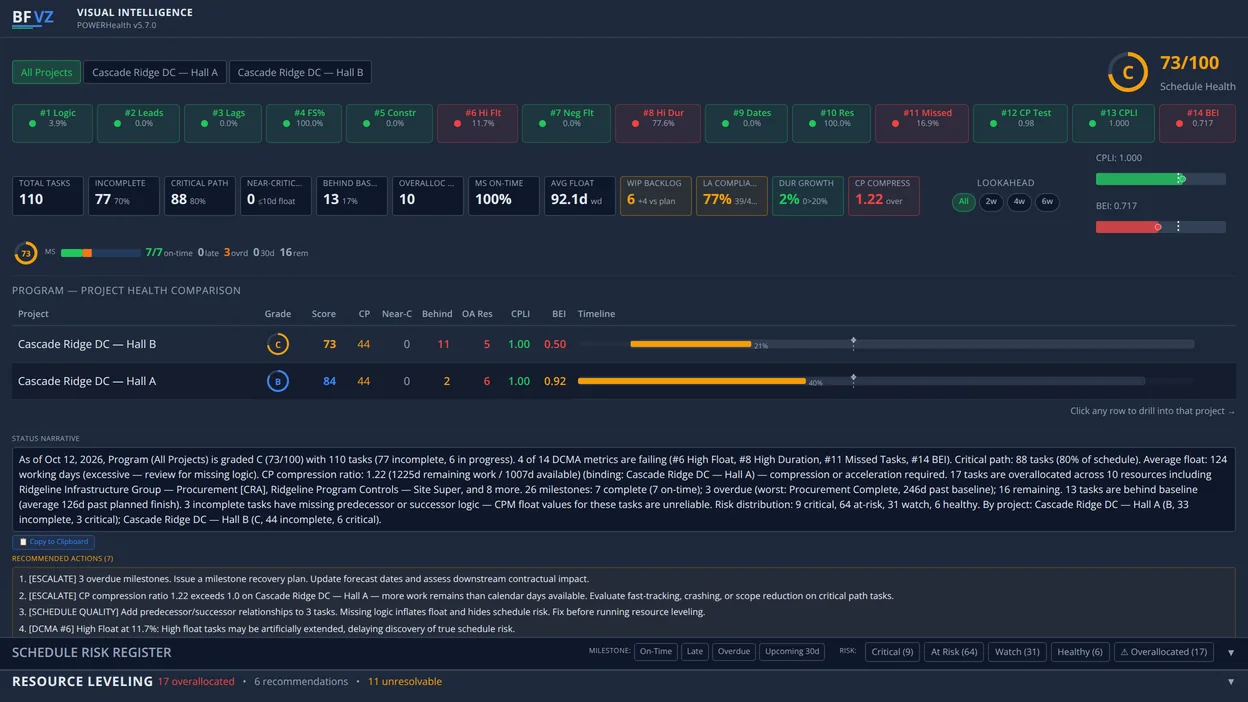
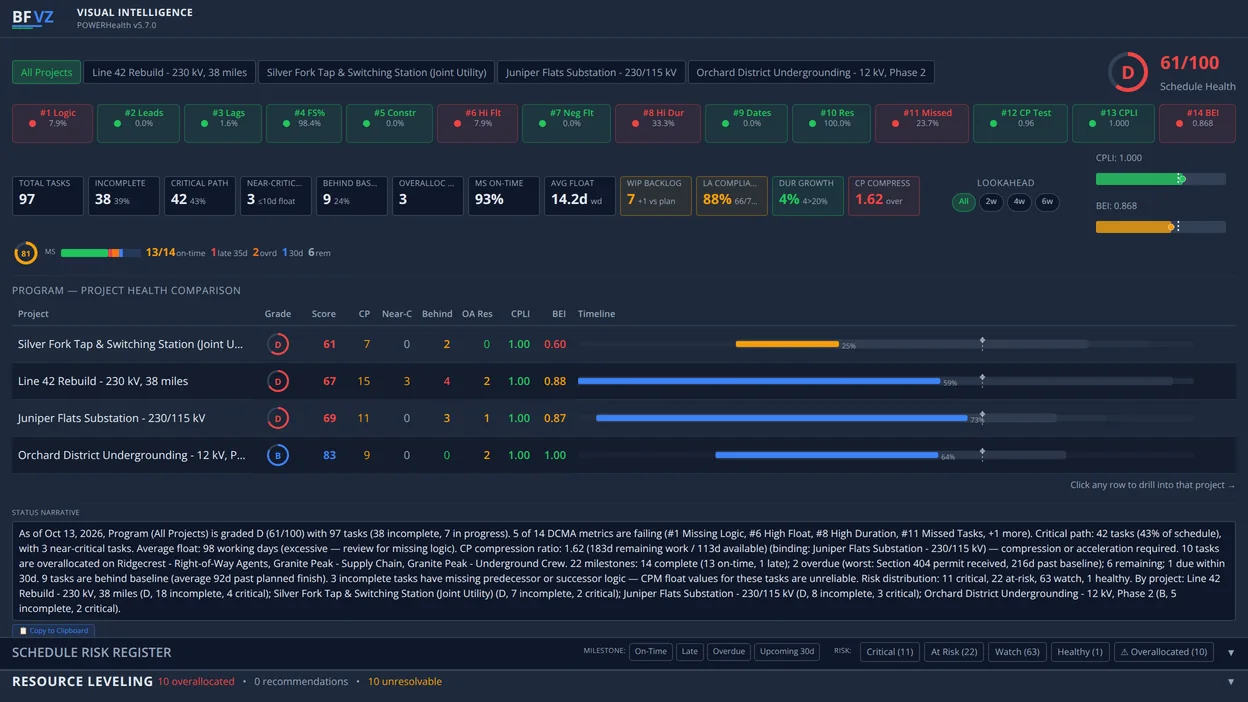
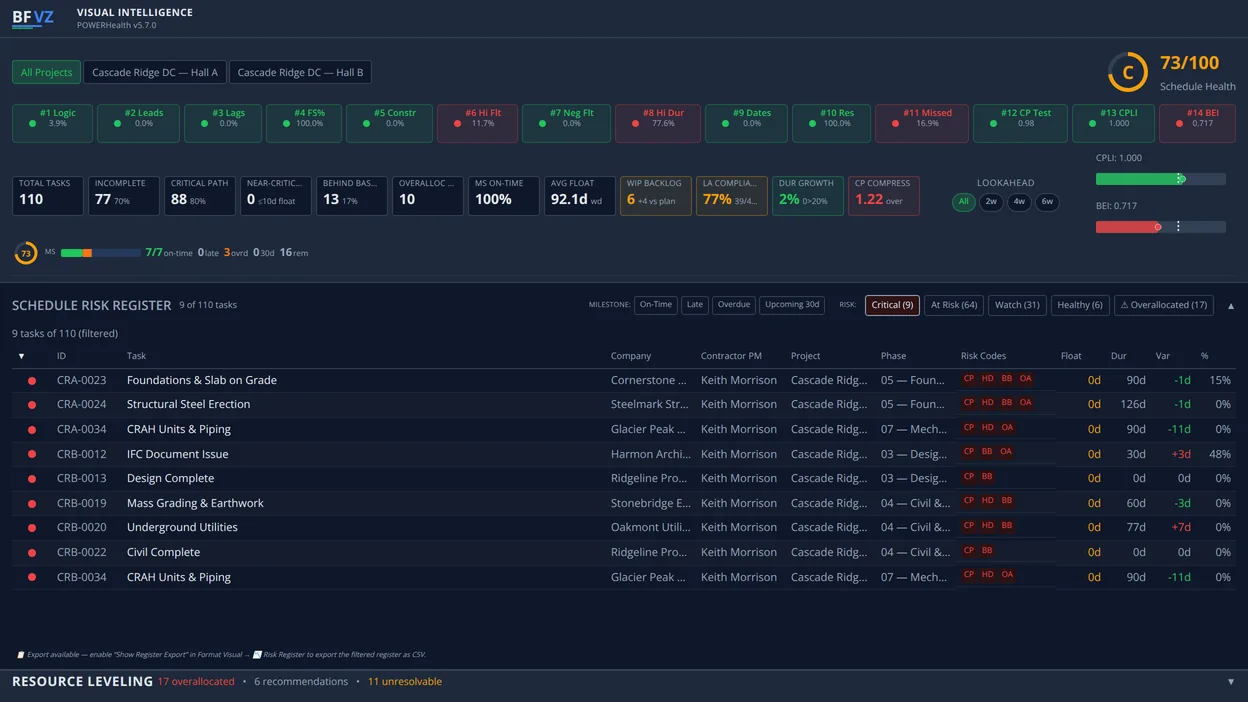
BFVZ POWERHealth: the 14 DCMA checks graded, the schedule health score, the program comparison table, the status narrative and the recommendations, on sample data
Grounded in the PMBOK® Guide, Eighth Edition
Available on Microsoft AppSource
30,000 rows per visual
DCMA 14-Point Assessment on every schedule update
Industries

Built for infrastructure programs

Your organization already has Power BI through Microsoft 365. BFVZ adds the schedule logic that infrastructure programs run on to the reporting tool your team already uses.

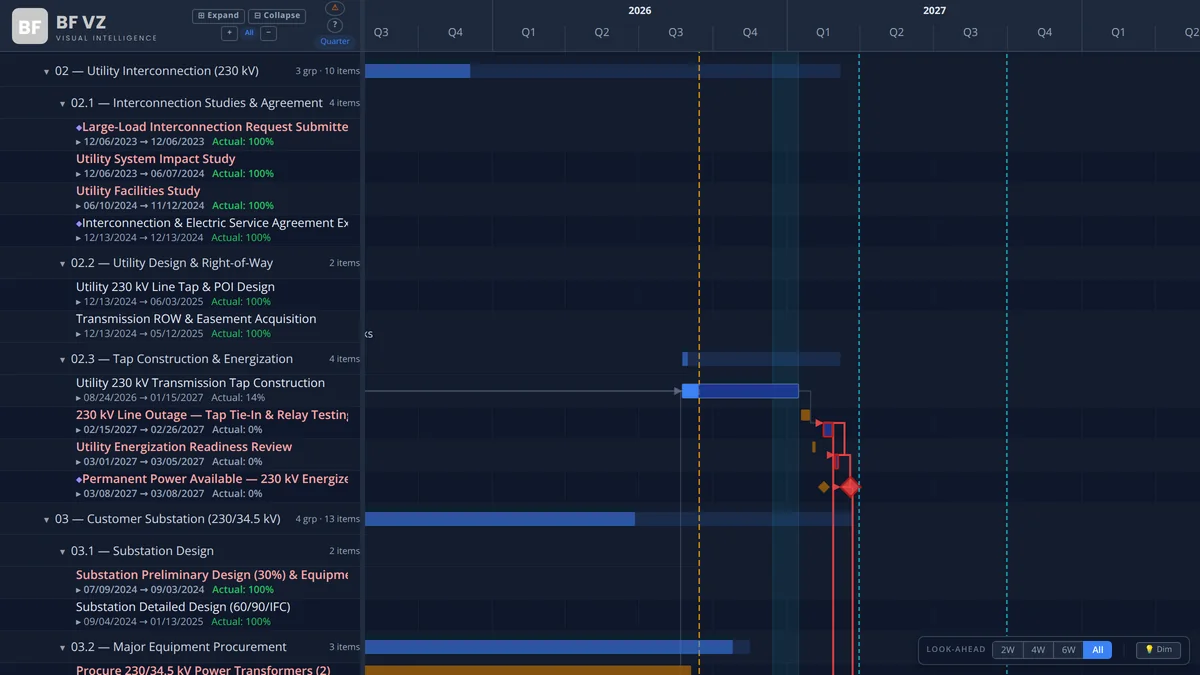
  • The critical path runs through the utility, not the building: interconnection studies, transformer delivery and energization gate Ready-for-Service.
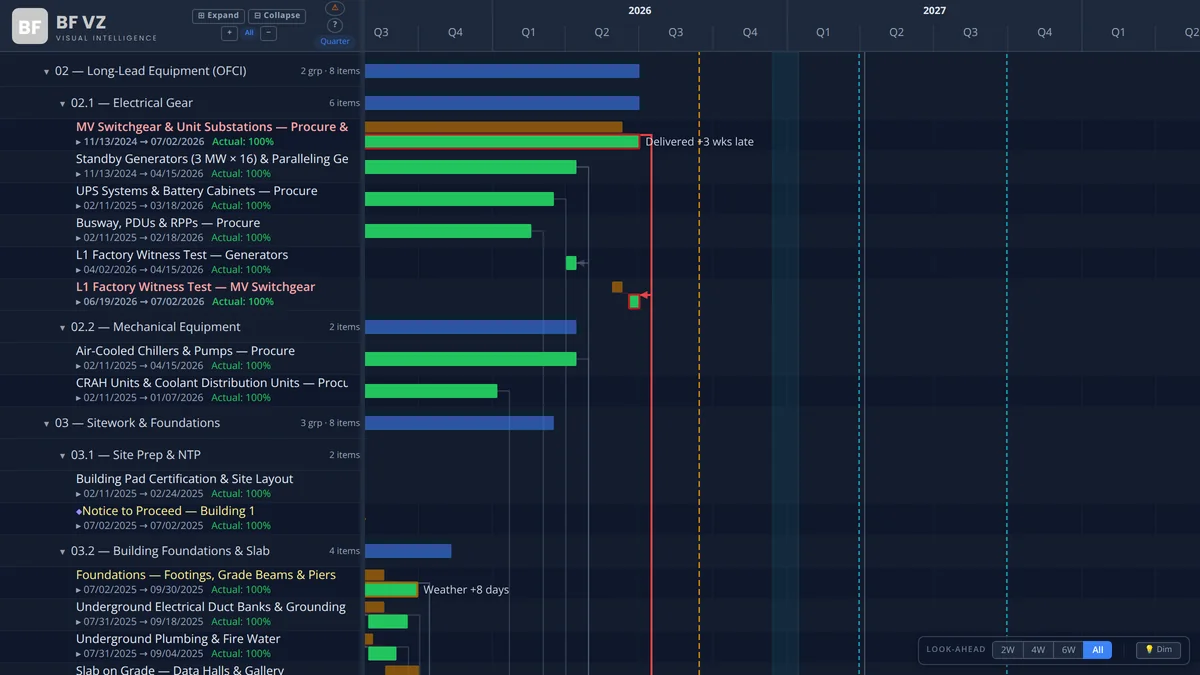
  • Owner-furnished switchgear, generators, UPS and chillers arrive on vendor slots the GC doesn’t control; baseline-vs-current on every delivery shows which slip is eating float.
  • L1 factory witness through L5 integrated systems test is a gated sequence; typed FS/SS/FF logic keeps the commissioning chain honest.
  • Campuses share crews and yards between buildings; program-level critical path and crew loading show where Building 2 is borrowing from Building 1.

Hyperscale Construction

Campus programs where power delivery, not concrete, sets the date

Colocation Facilities

Phased hall turnovers on a live site against tenant RFS commitments

Edge & Modular

Repeatable prefab scopes and retrofits inside operating facilities

The visuals

Three visuals, one data model

All three read the tasks table from your Primavera P6 or Microsoft Project export; PowerGantt and POWERHealth add the assignments table for resources. Map the fields once; use the visuals together or on their own.

Live on AppSource

BFVZPowerGantt

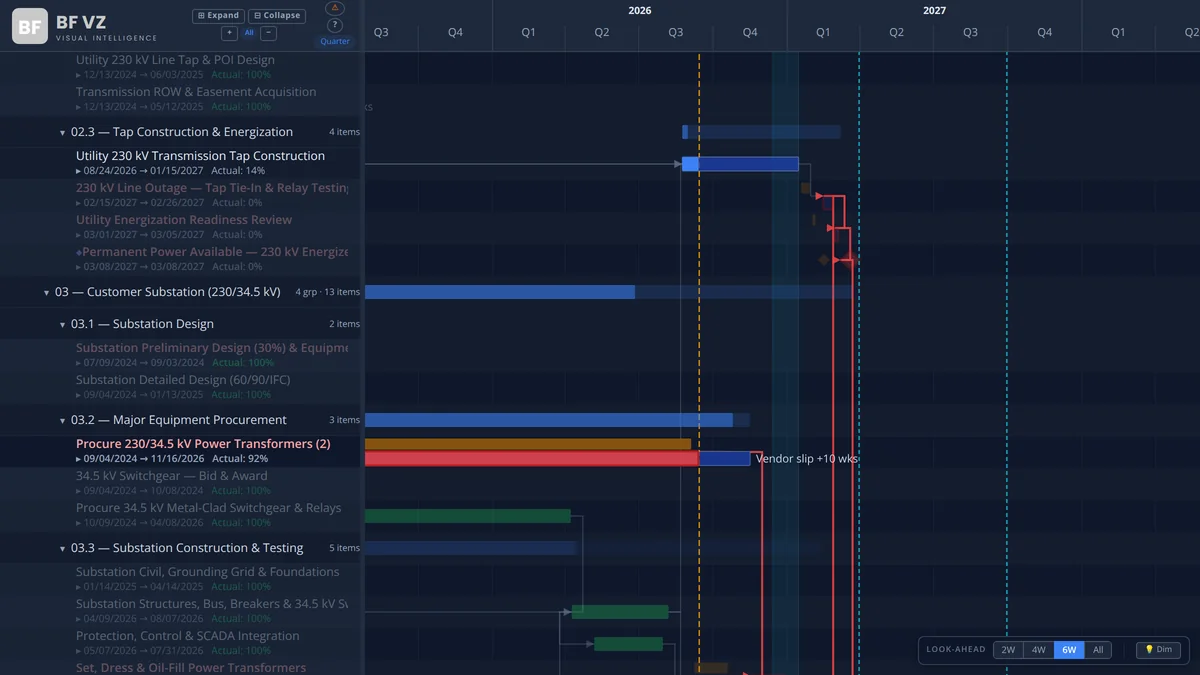
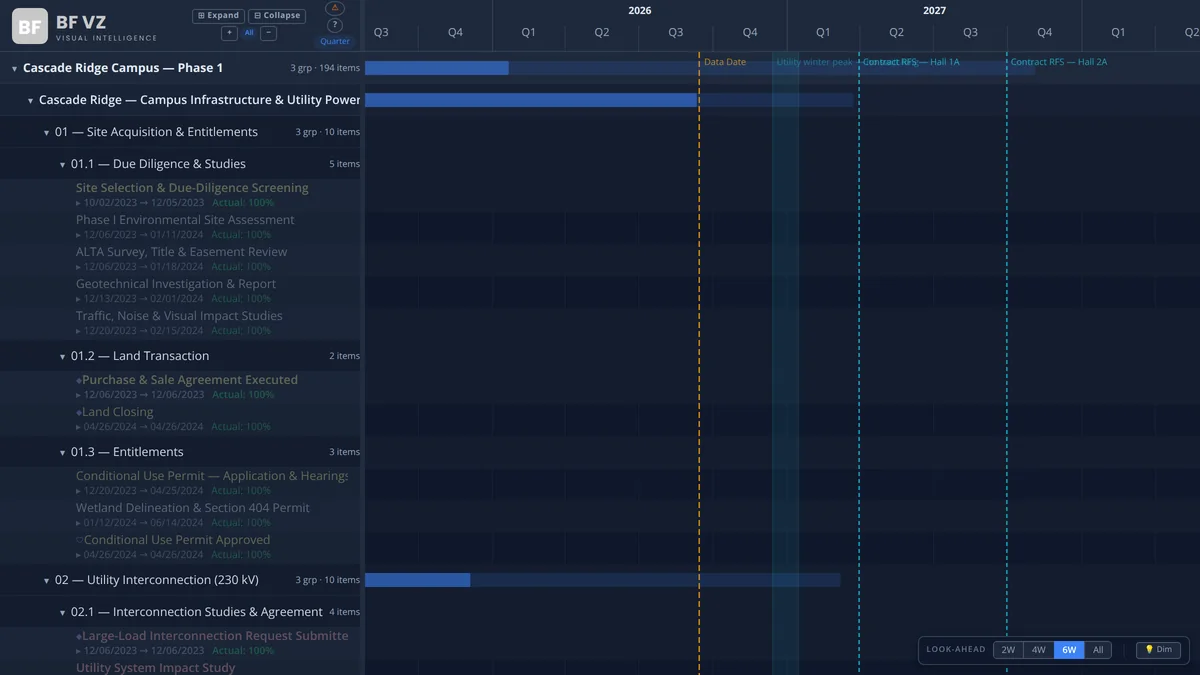
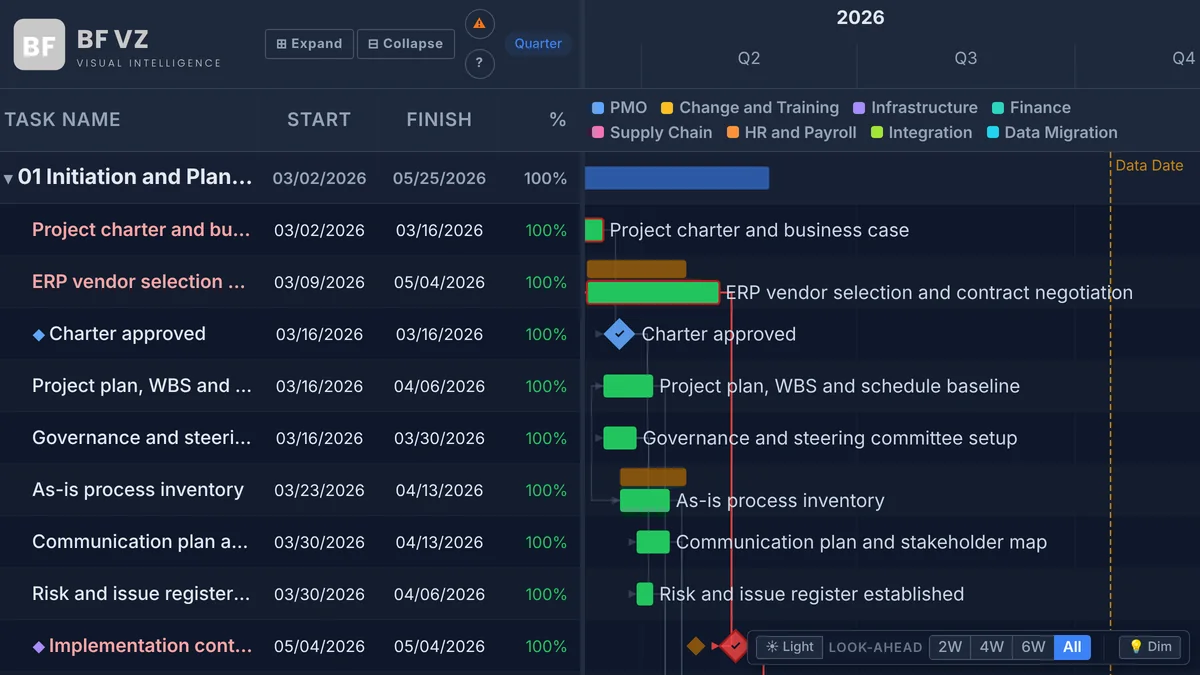
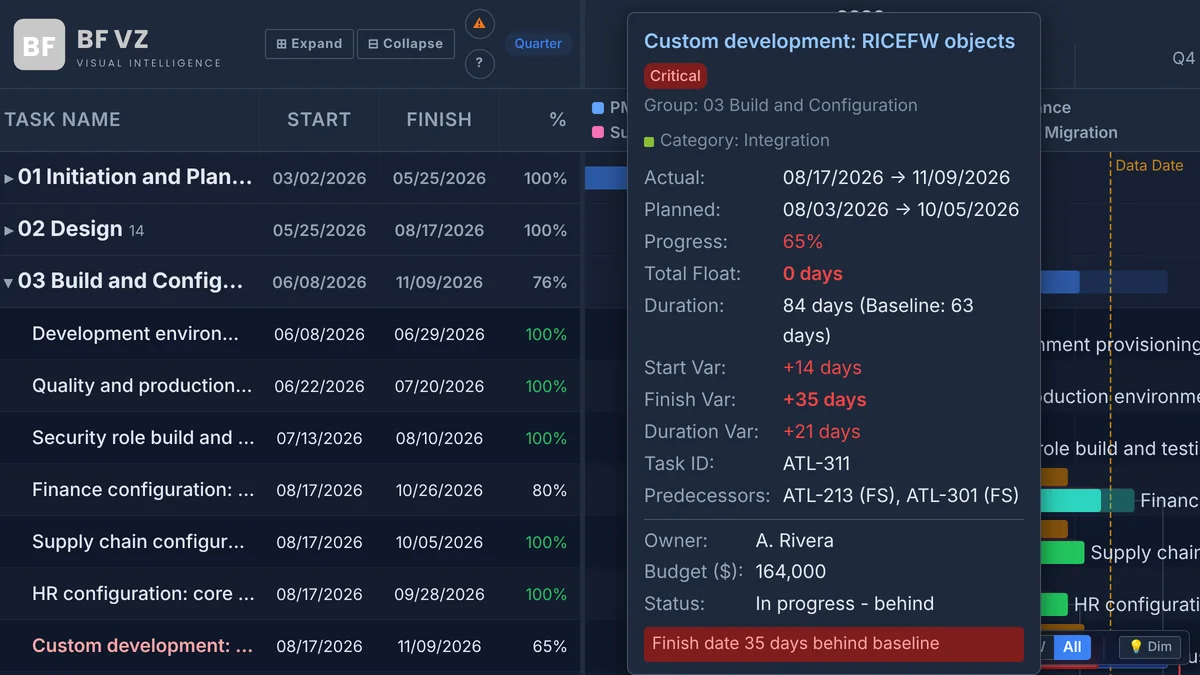
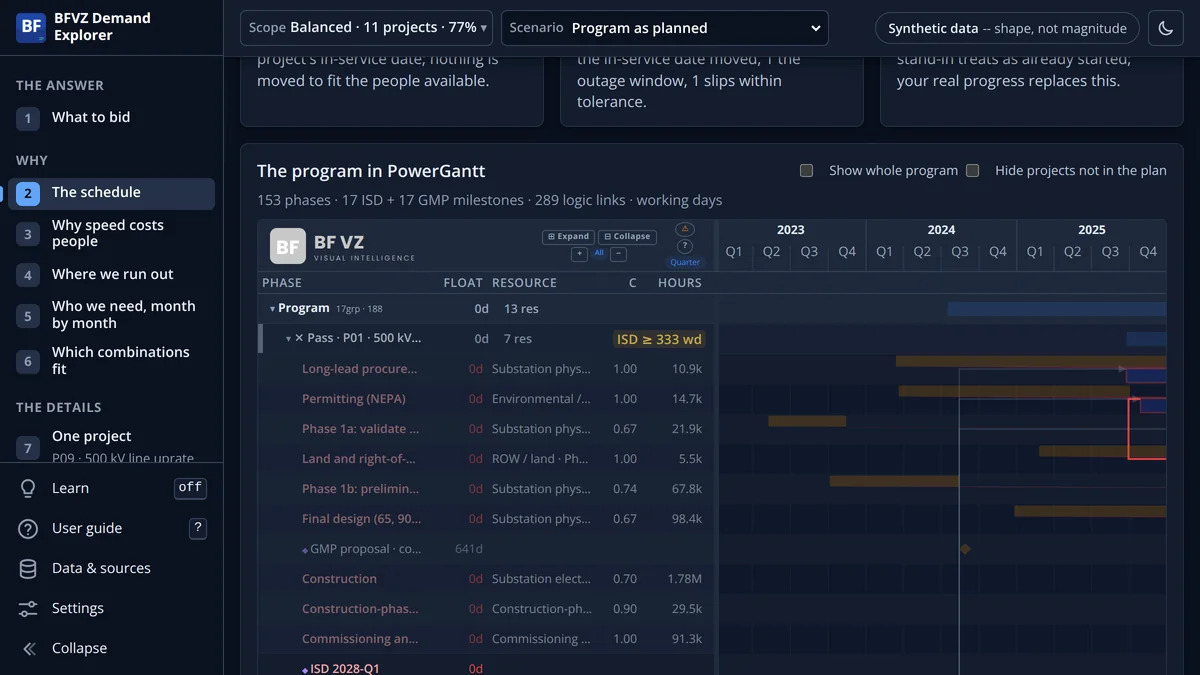
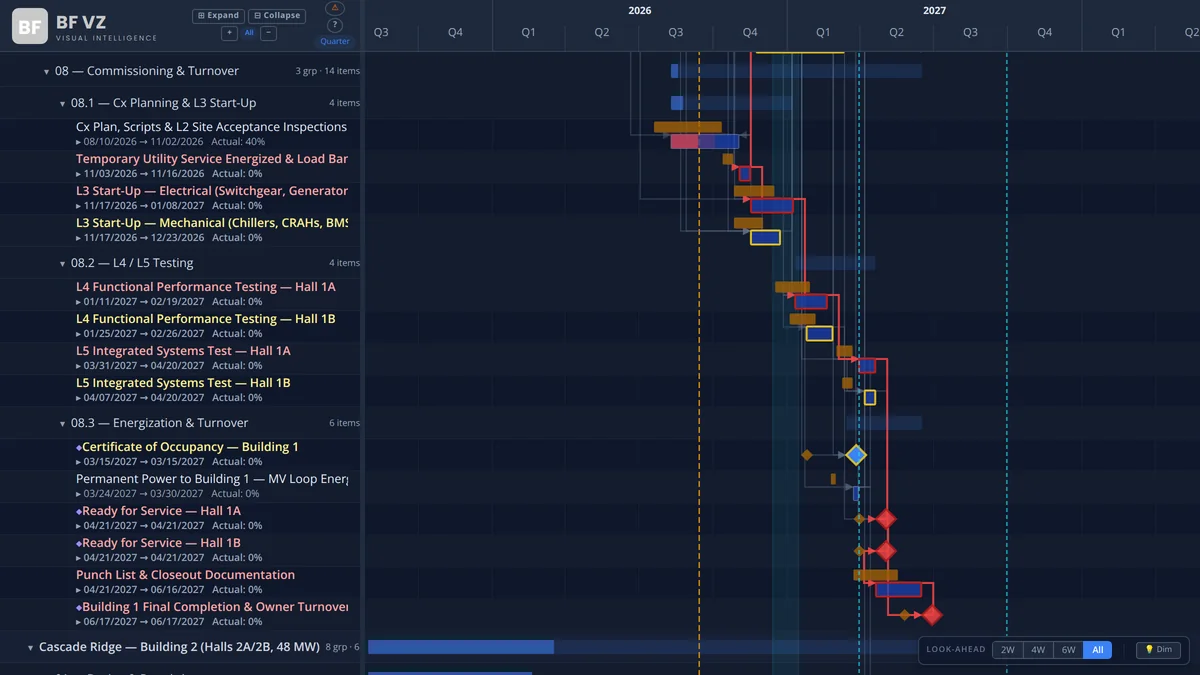
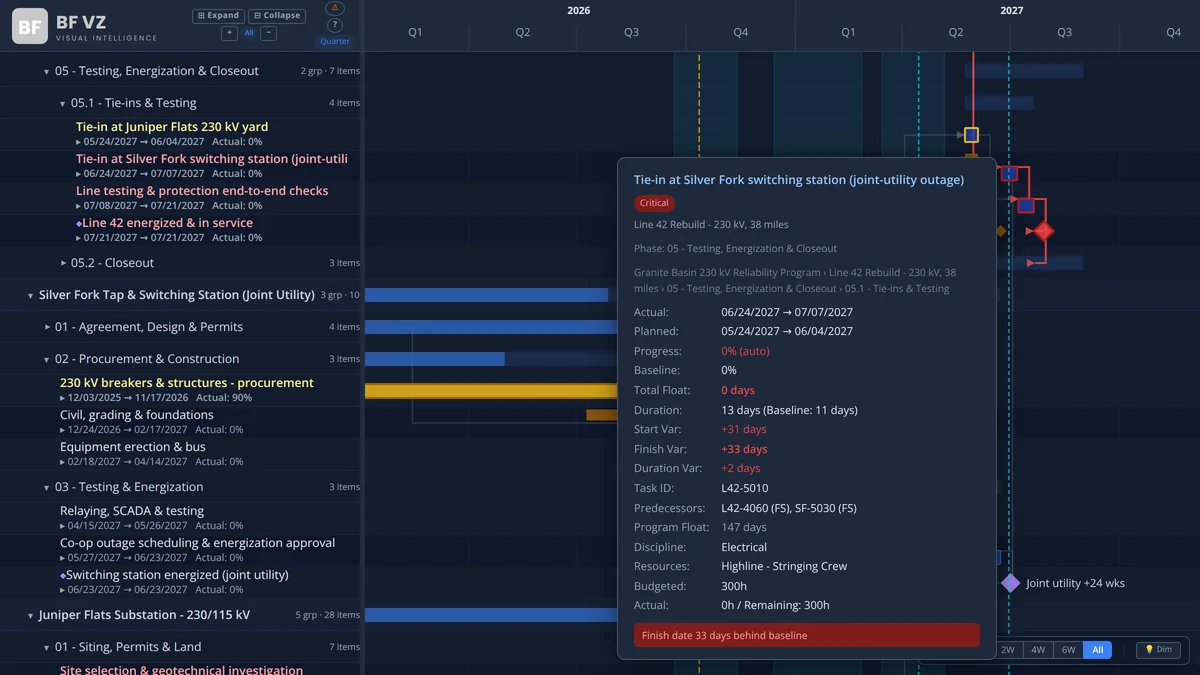
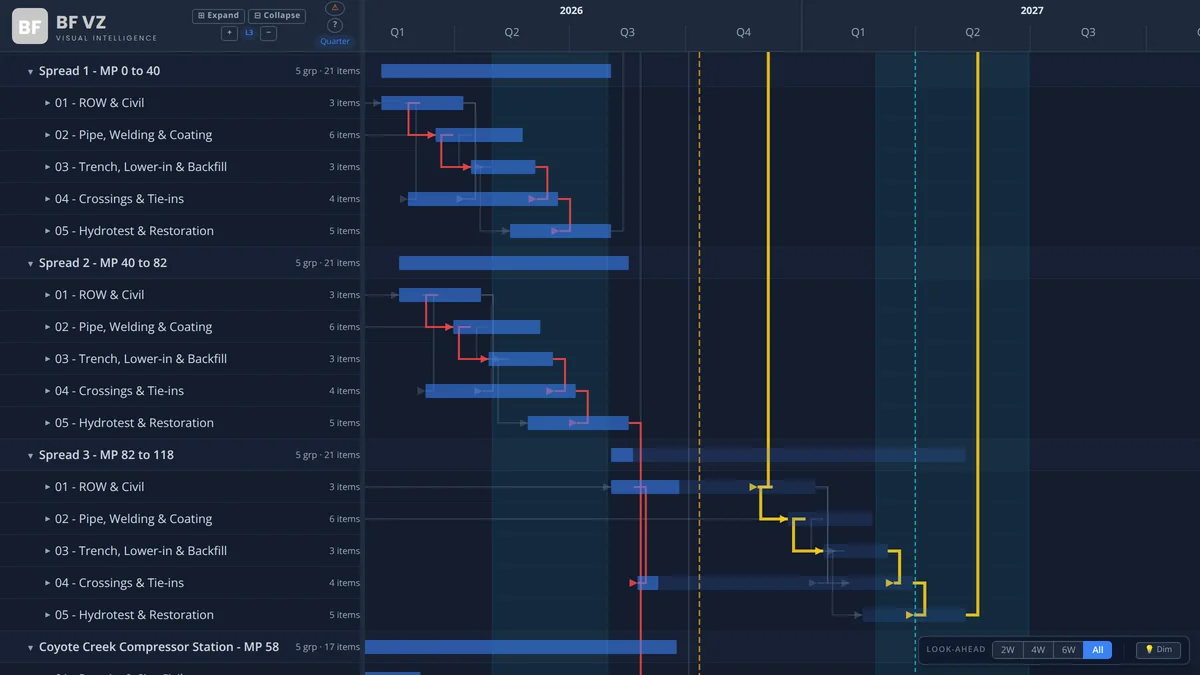
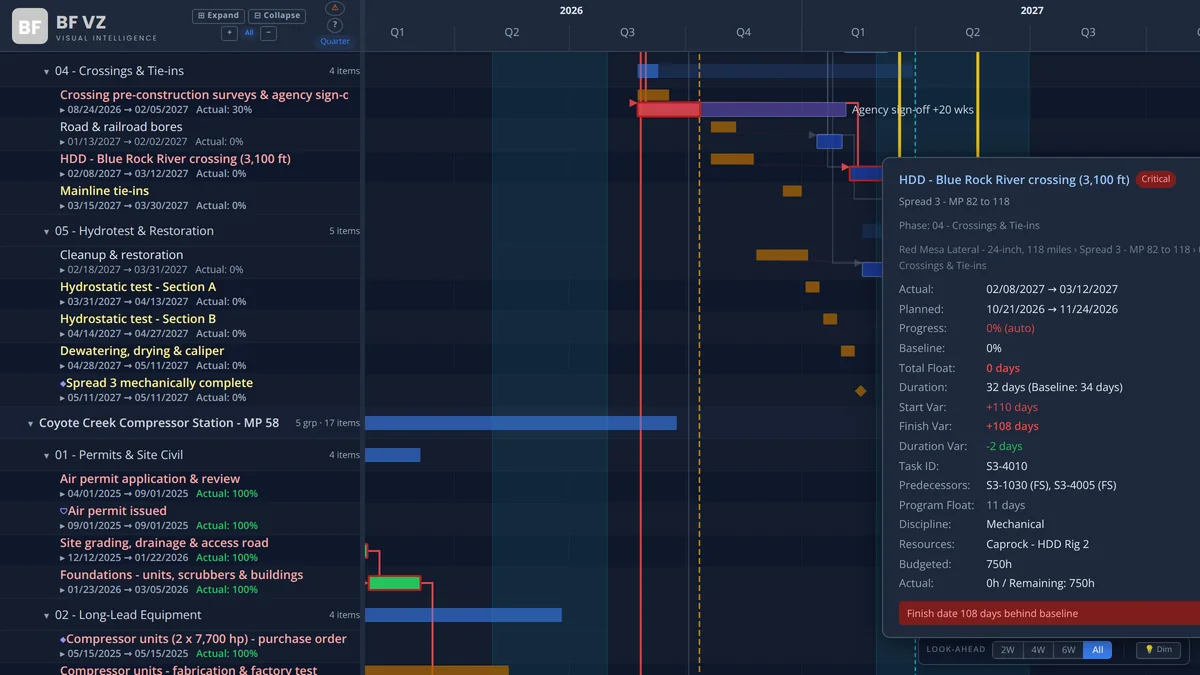
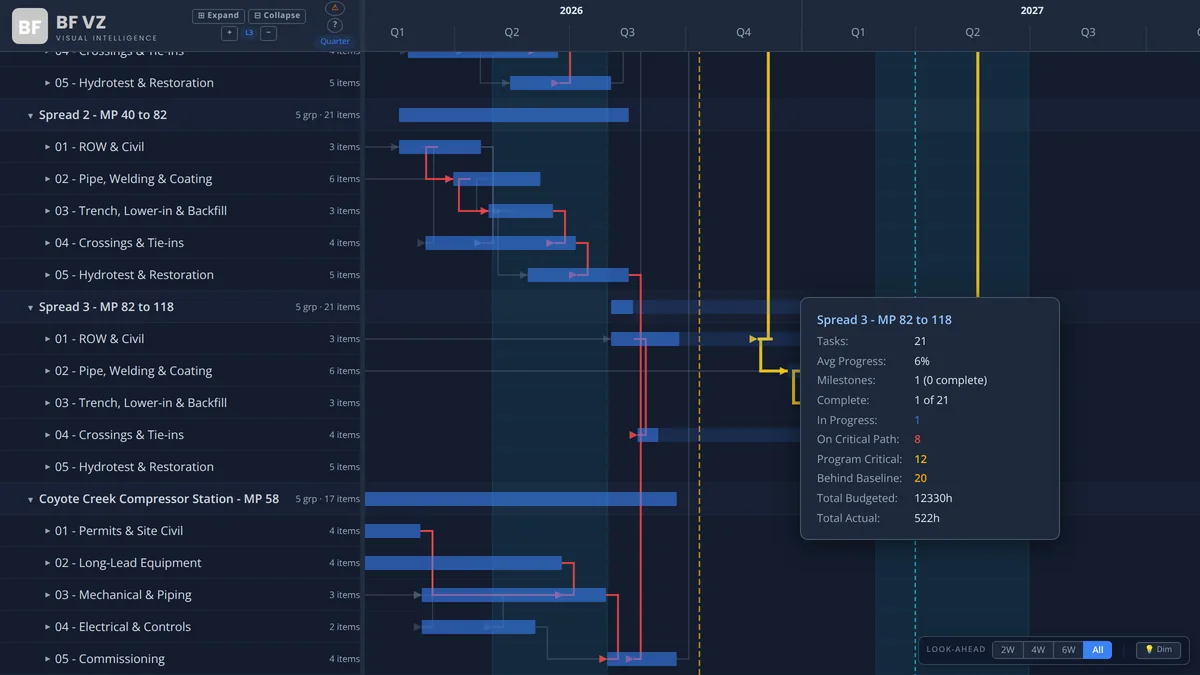
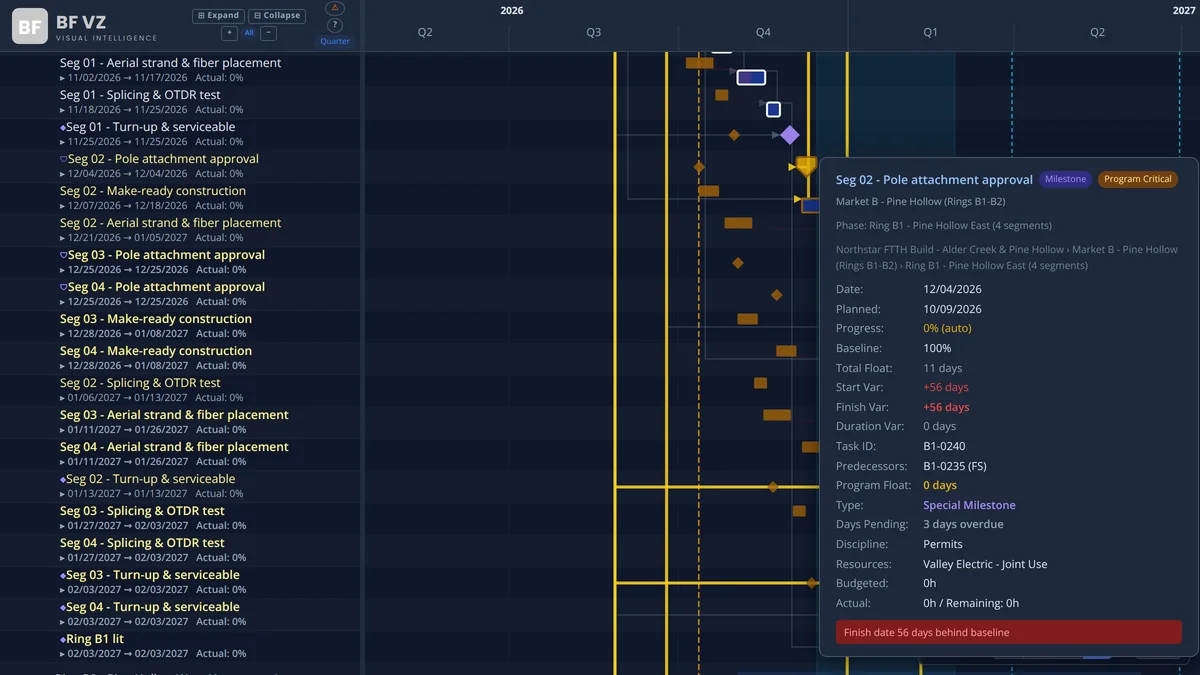
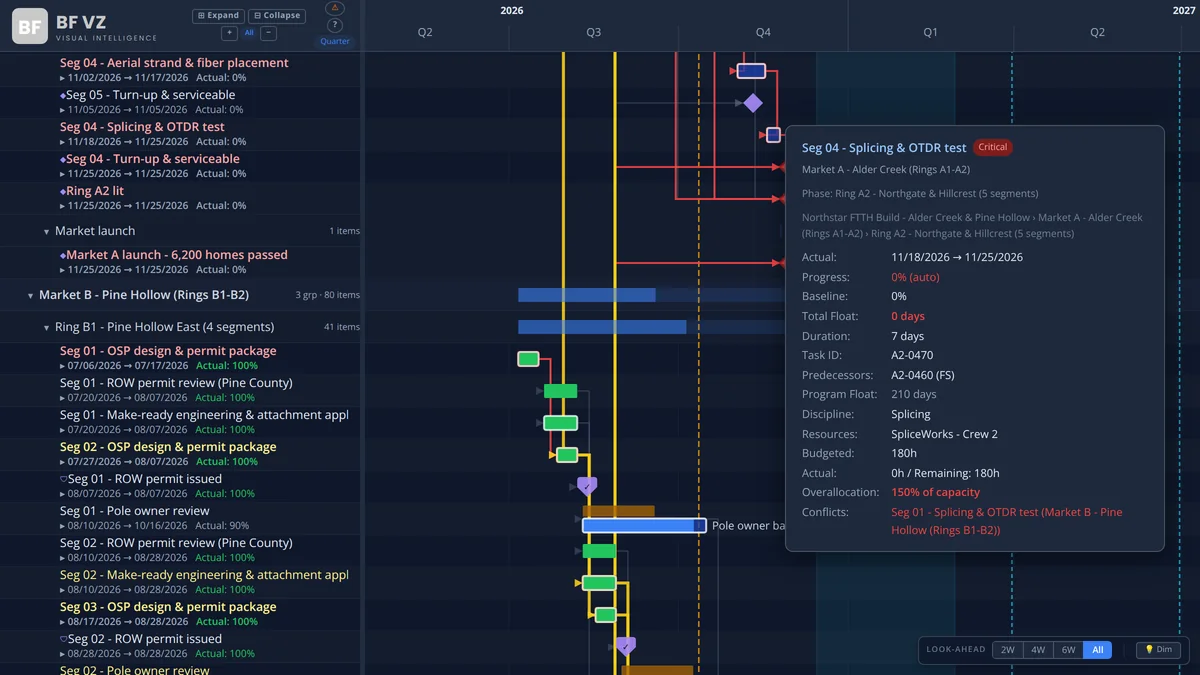
The Gantt chart that computes the schedule. It reads the relationships in your export and does the math: forward and backward pass, early and late dates, total float, and a critical path you can defend.
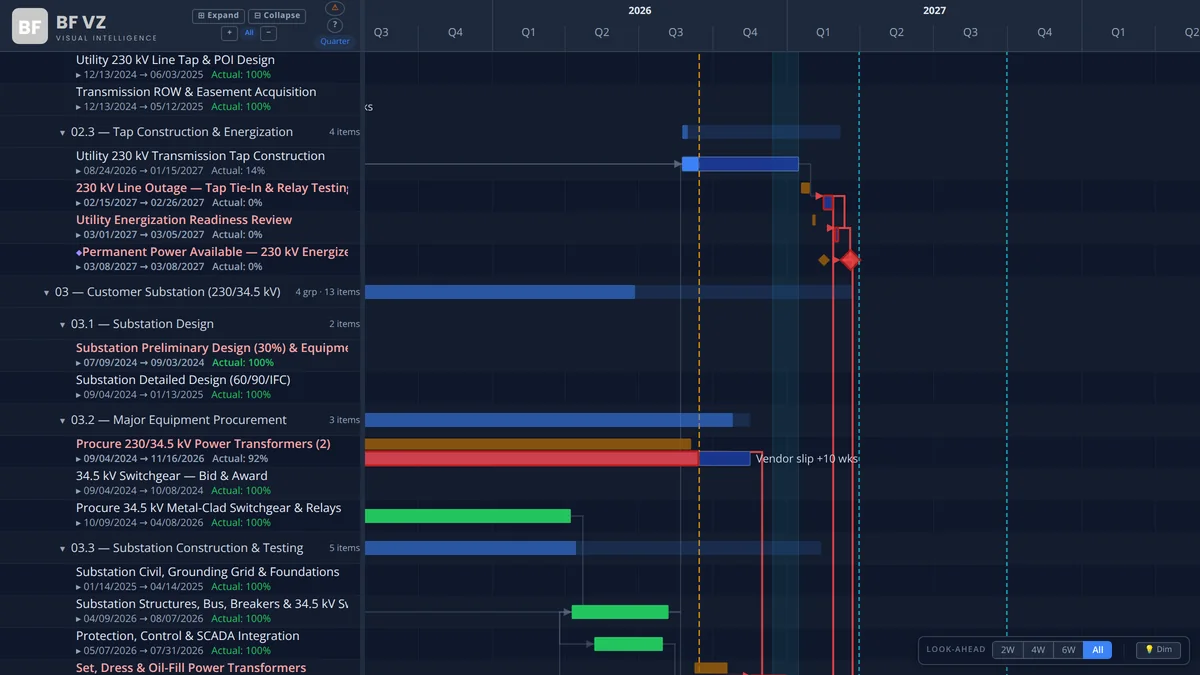
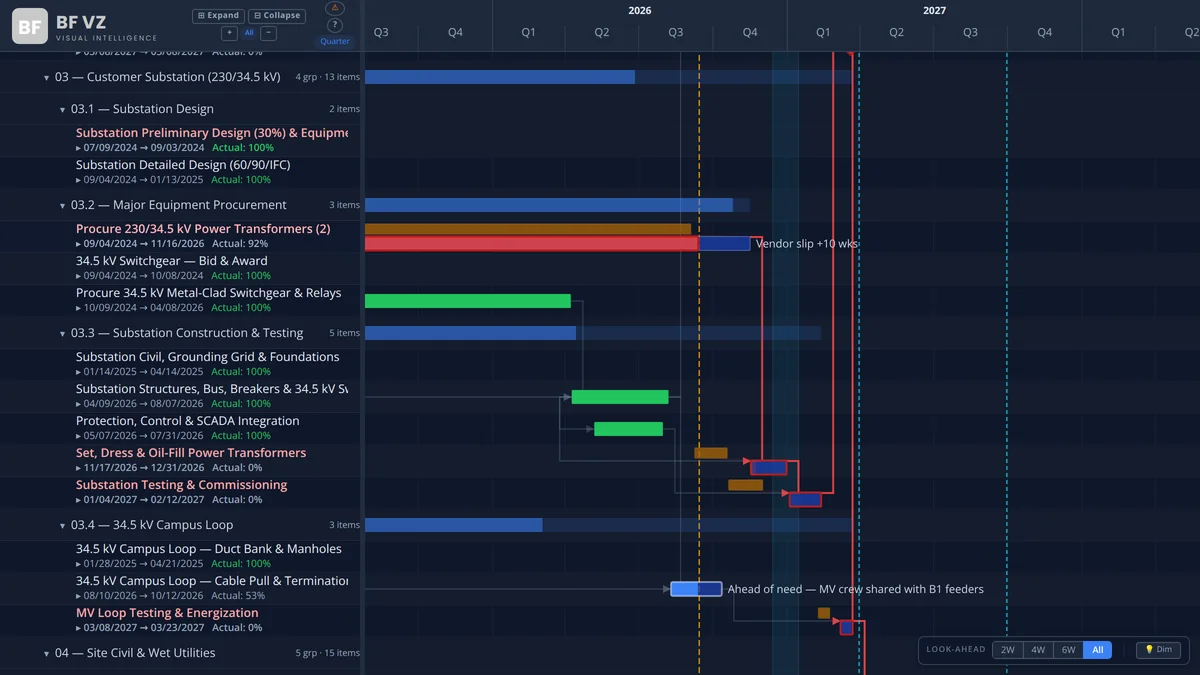
  • Critical path from the schedule logic, with near-critical activities flagged at the float threshold you set.
  • All four relationship types (FS, SS, FF, SF) with lags and leads, parsed from P6 and Microsoft Project predecessor strings.
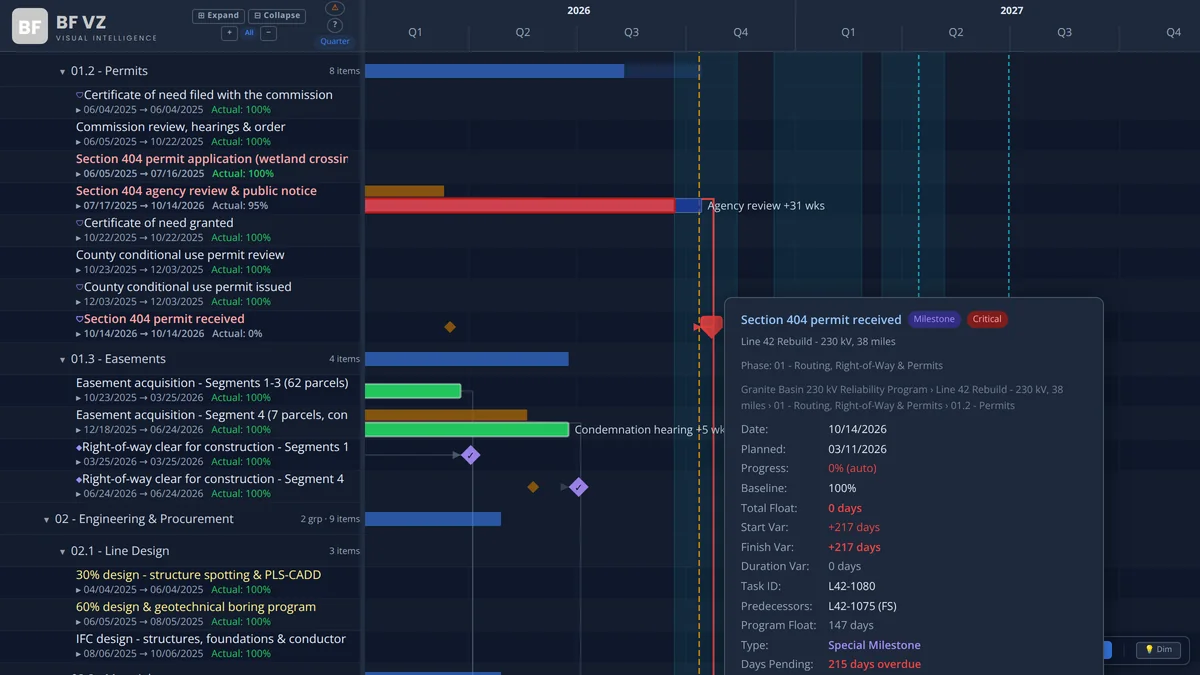
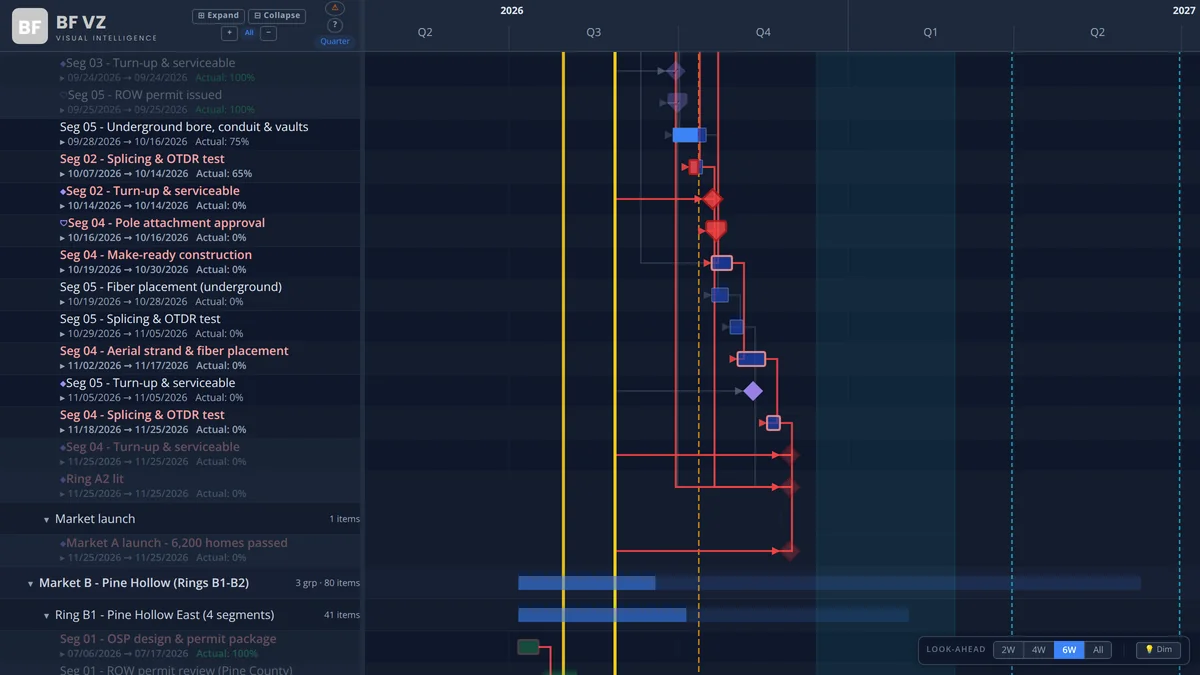
  • Baseline bars with start and finish variance; milestones; reference lines and bands for outage windows, permit dates and seasonal constraints.
  • A configurable data grid beside the bars: duration, dates, percent complete, float, resource and your own columns.
  • Look-ahead window, conditional RAG rules, resource overallocation marked on the bars, dark and light themes.
Live on AppSource

BFVZ POWERHealth

Schedule health you can grade and defend. It runs the DCMA 14-Point Assessment on every schedule update, with the thresholds your PMO sets, and grades the result A to F.

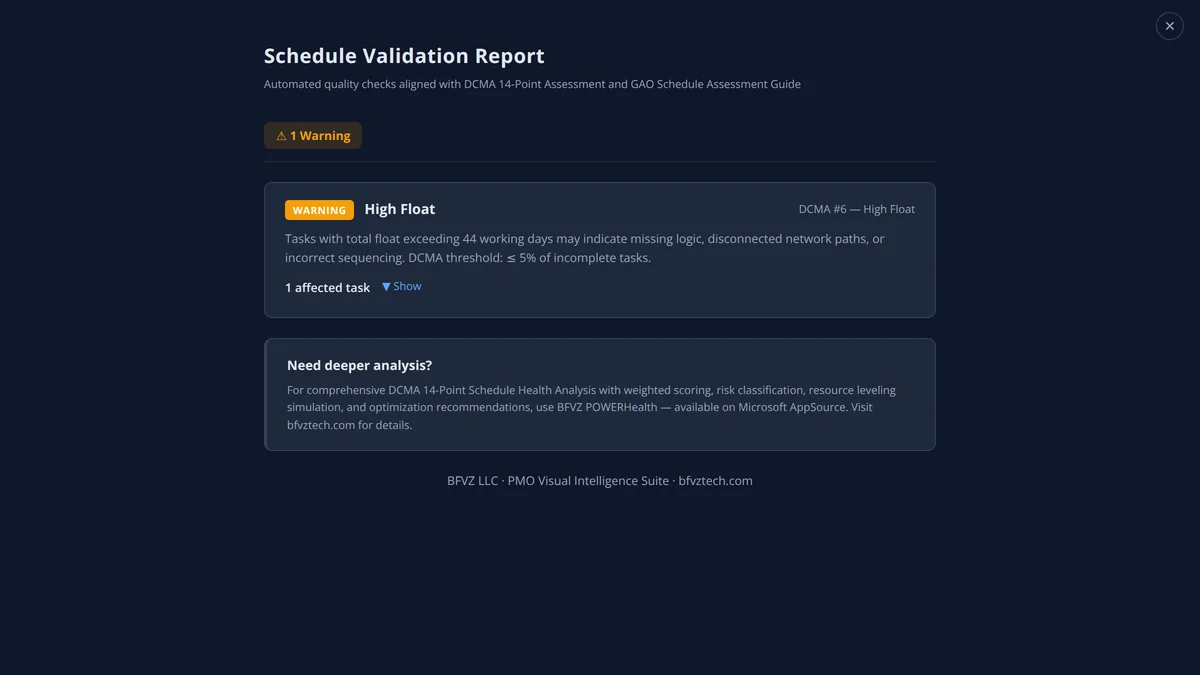
  • All 14 checks: logic, leads, lags, relationship types, hard constraints, high float, negative float, high duration, invalid dates, resources, missed activities, the critical path test, CPLI and BEI.
  • A threshold per check and a weighted A-to-F grade, so the grade reflects your standard rather than a vendor’s.
  • A schedule risk register that classifies each finding by severity and names the activities behind it.
  • A program comparison table with every project’s grade and metrics side by side.
  • A resource utilization matrix by period, with overallocations highlighted, and the options for each conflict (delay, advance or compress) with their effect on dates.
In AppSource review

BFVZ PowerGantt Lite

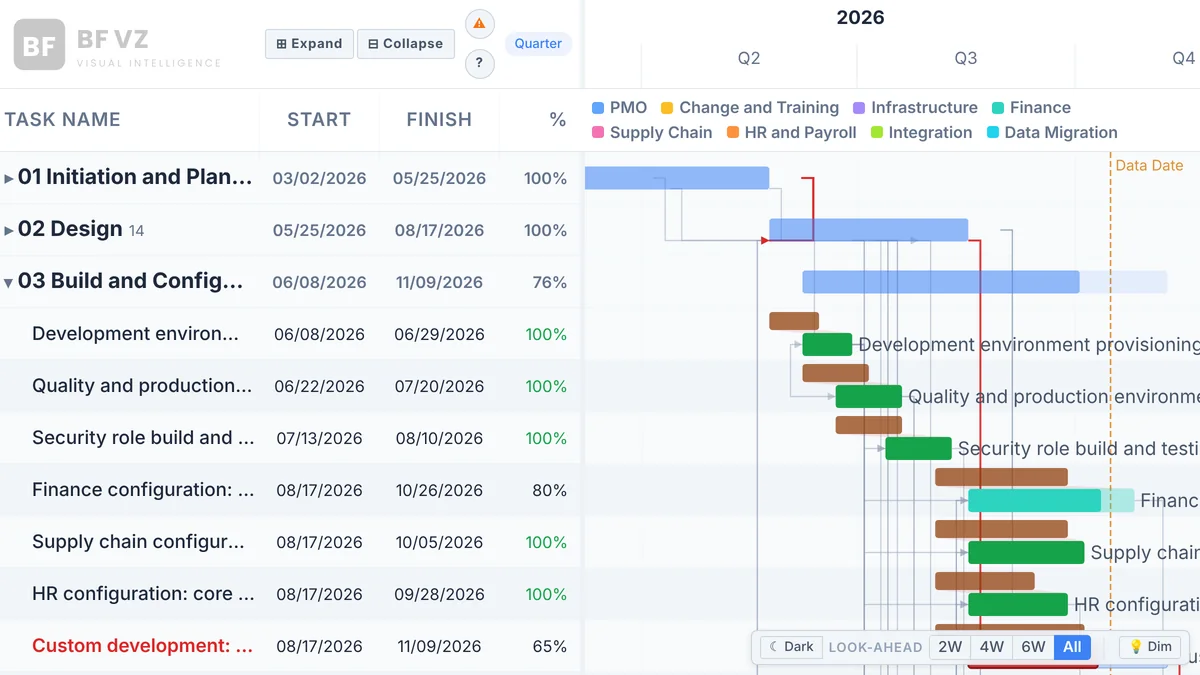
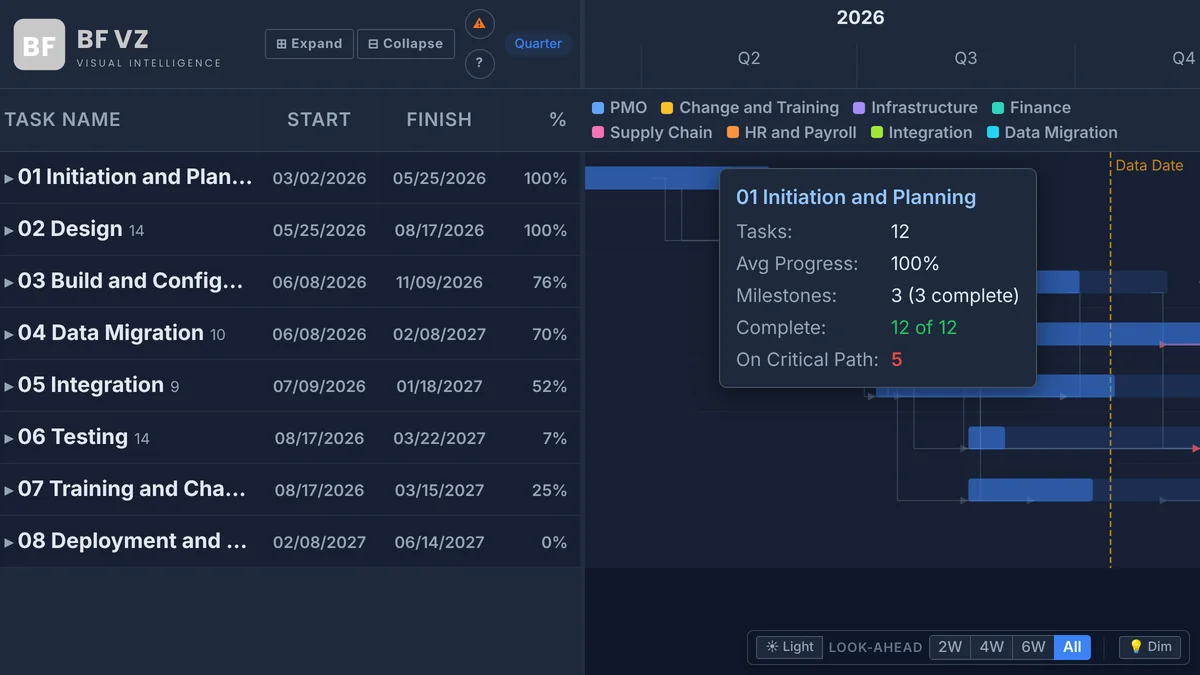
The project Gantt for teams that want a schedule on a report page without a long setup. Bind Task Name, Start and Finish and it draws; add a Group field, Task IDs and Predecessors, and baseline dates, and it computes the critical path and shows the slips. Creator $6 and Viewer $2 per user per month.

  • One Group level with summary bars; task bars with progress; milestones from a field or from zero-duration tasks.
  • Dependency lines for FS, SS, FF and SF links with lag, and a computed critical path with an optional bridged critical chain.
  • Baseline bars with slip and gain shading; start, finish and duration variance in the tooltip; a Data Date line.
  • Category colors with a legend, extra tooltip fields, a resizable data grid, zoom from Year to Week.
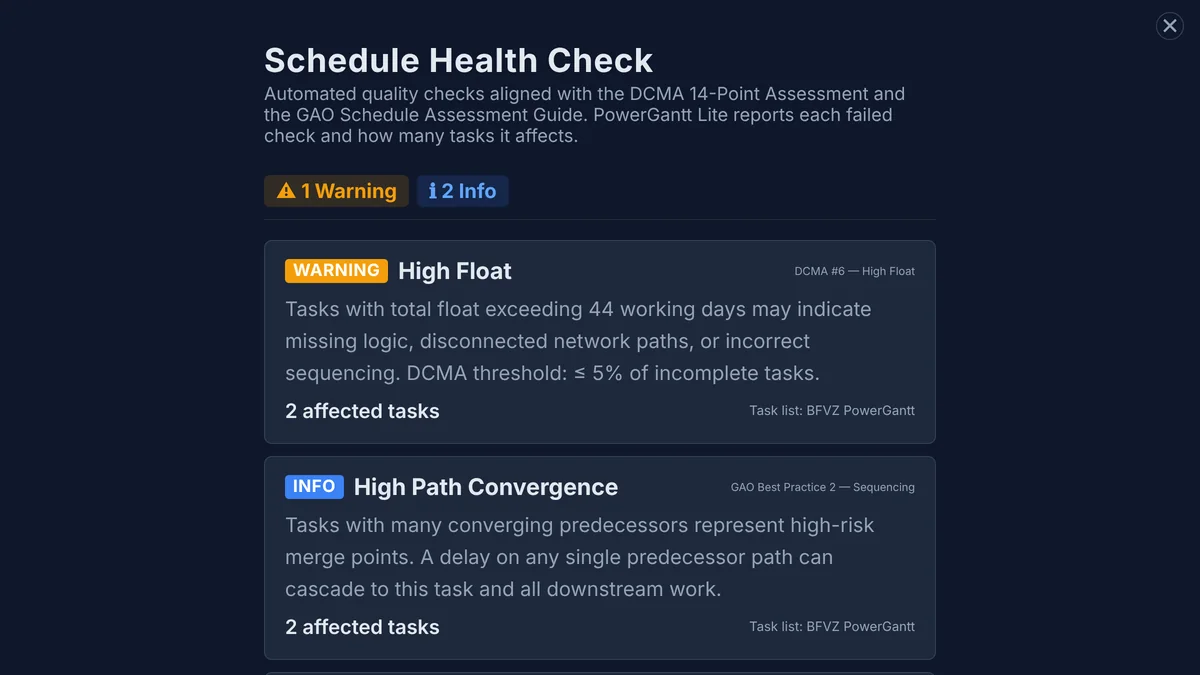
  • Schedule Health Check with 13 DCMA and GAO aligned checks; light and dark themes; up to 30,000 rows.
Program capacity · delivered under engagement

How much of a program can your bench take on?

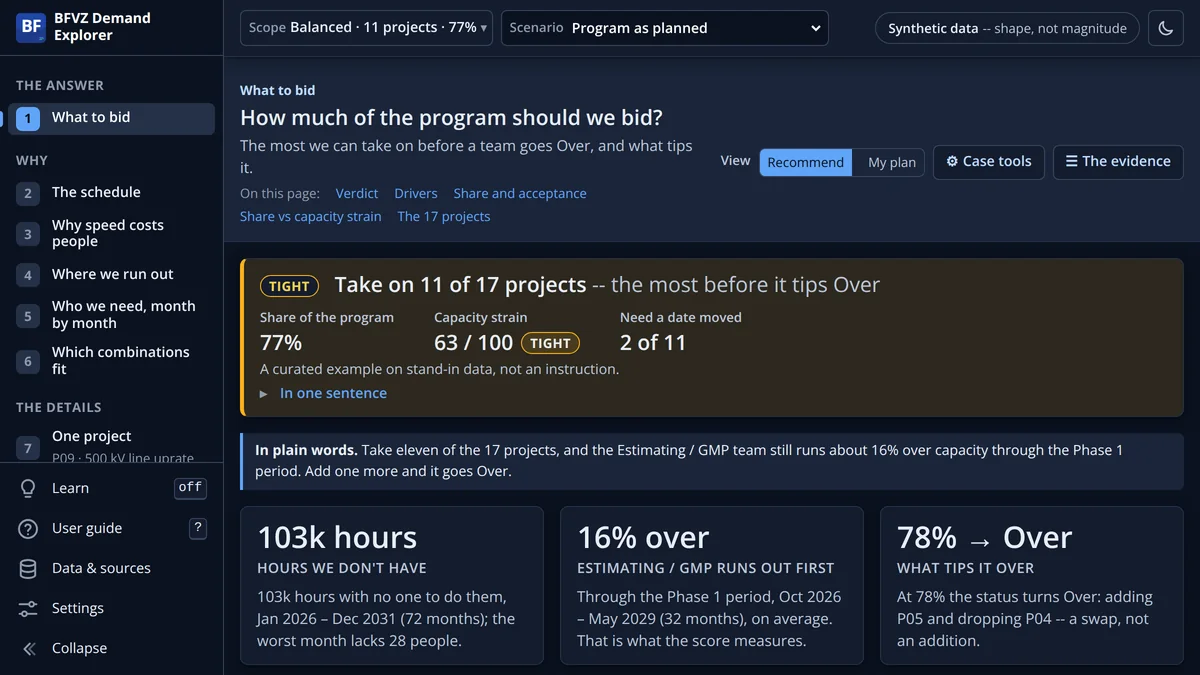
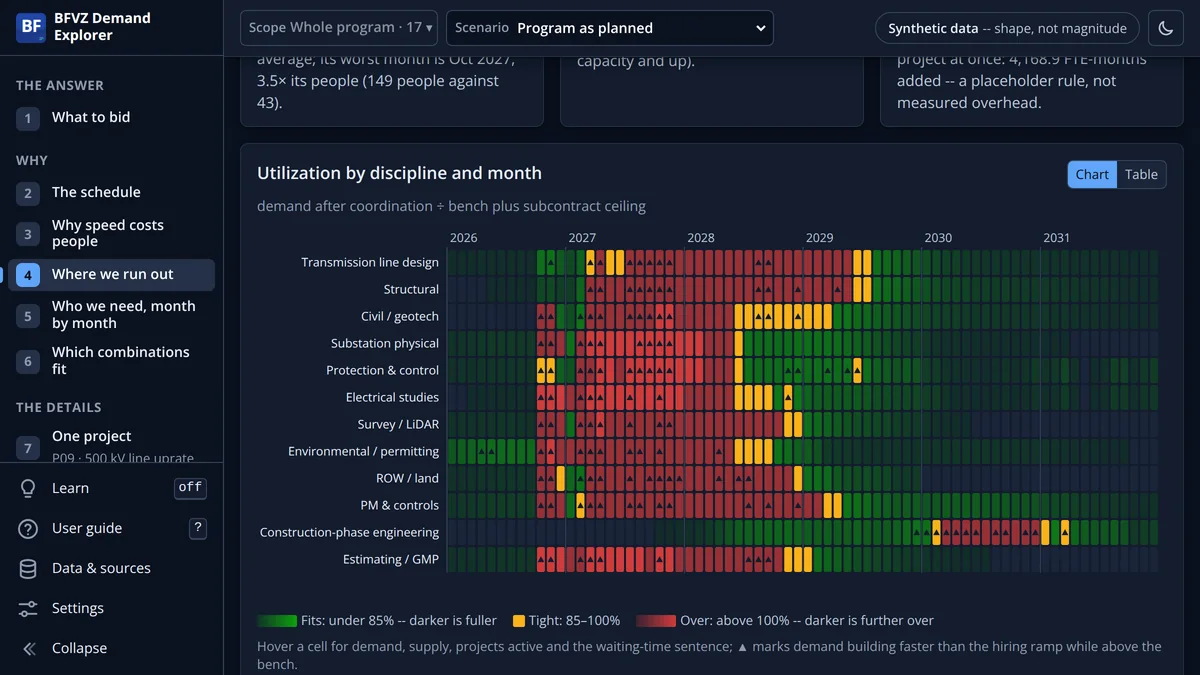
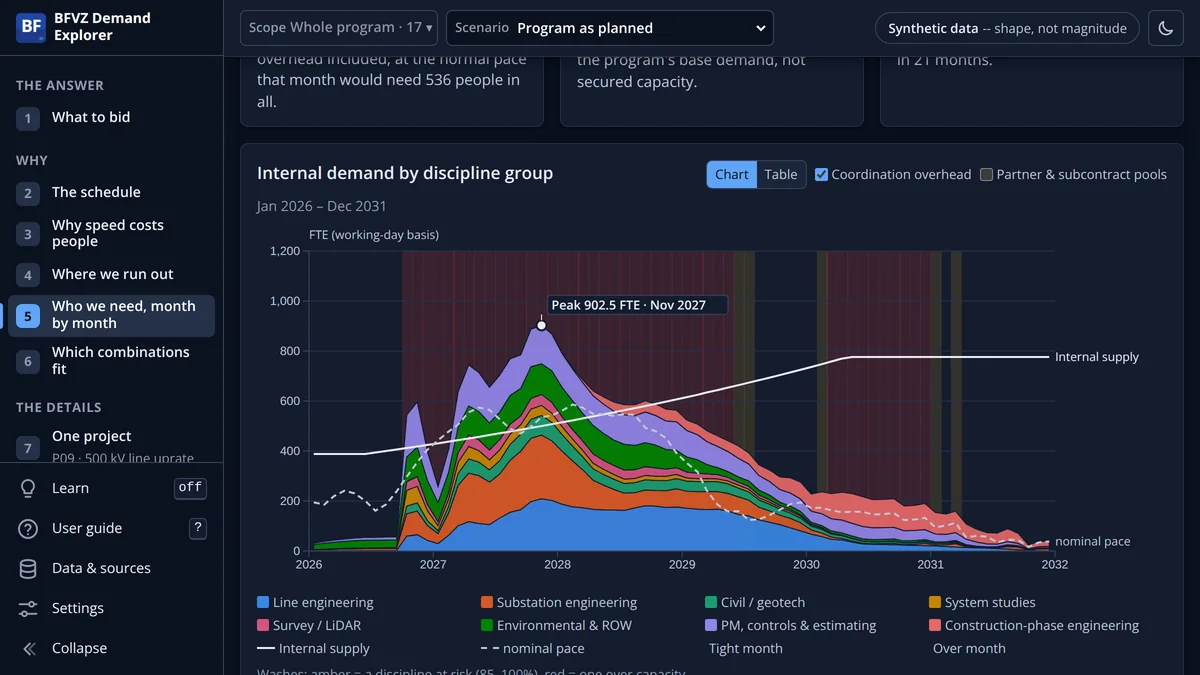
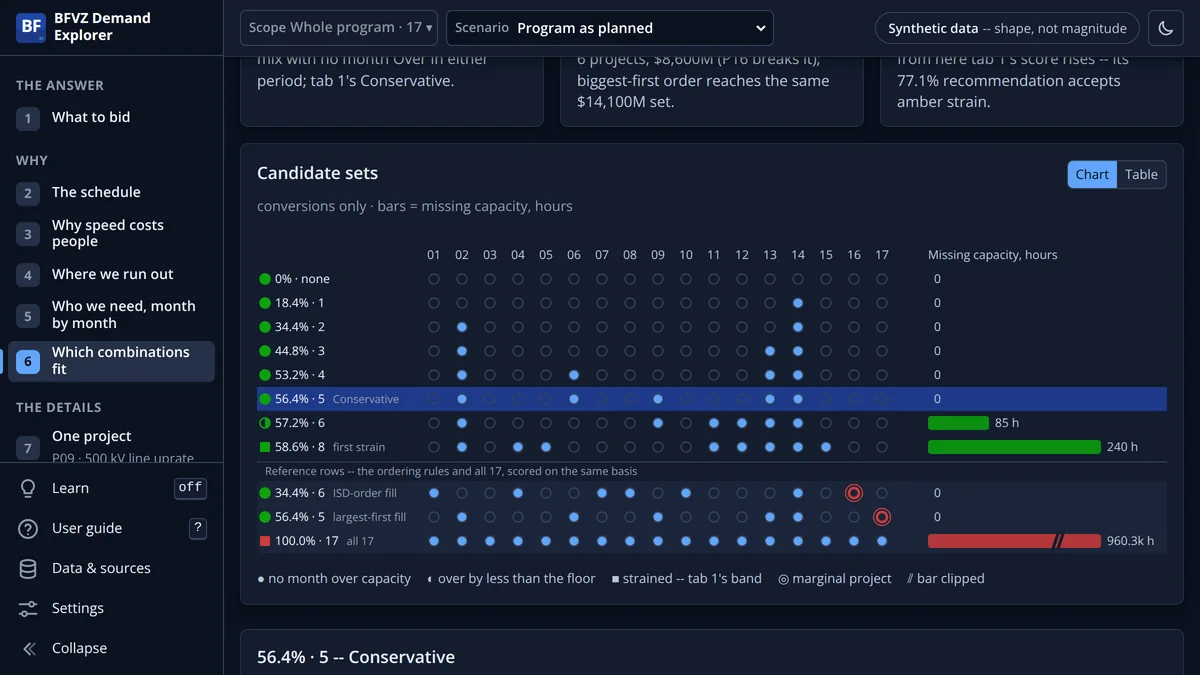
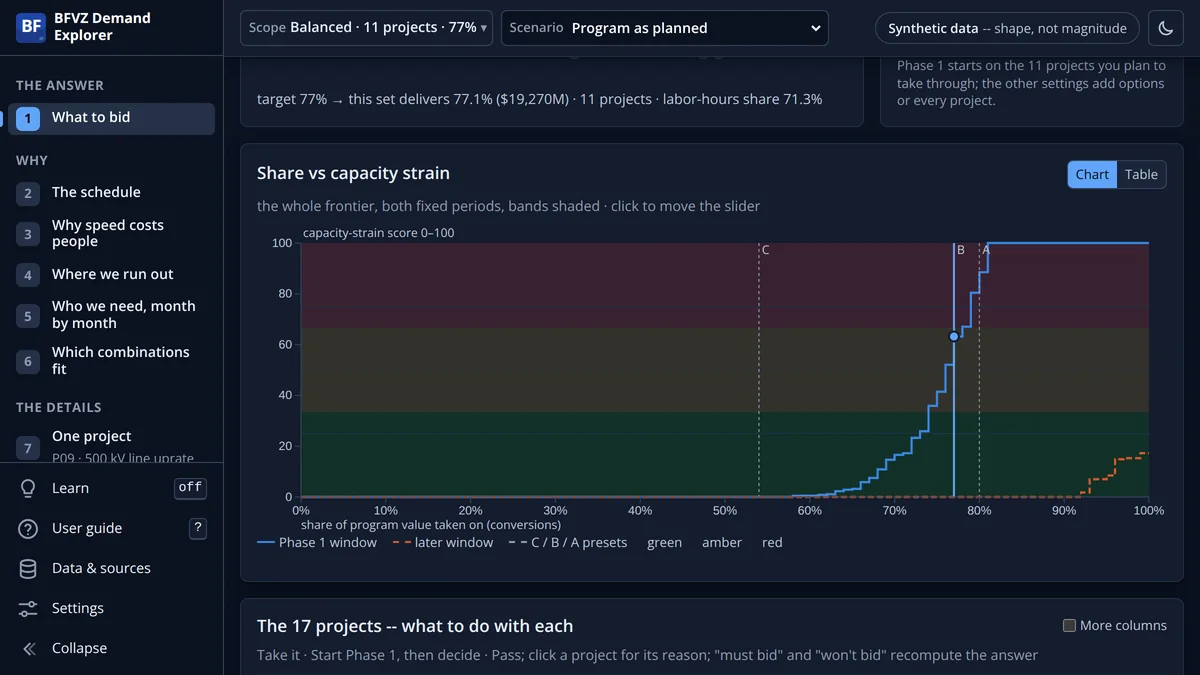
The BFVZ Demand Explorer answers one question for a program of projects: how much of it your people can take on before a discipline is over capacity, which project tips it, and what it would take to fix. It is not a Power BI visual. It is a private, browser-based model built around your program and handed to you as a link.

What it tells you

  • What to take on. The share of the program you can take before a team goes Over, the project that tips it, and a verdict per project: take it, hold, or pass.
  • Where you run out. Each discipline against its bench, month by month: which team runs out first, in which month, and by how much.
  • Who you need. The people the program needs each month by discipline, against what you could field with staff and subcontractors.
  • What it would take. The levers that change the answer (hire, subcontract, re-sequence, stagger starts, or pass) and what each does to the verdict.

Three status words on every page: Fits Tight Over. Every number carries its source, and the page says which numbers are measured and which are assumptions until your data replaces them.

How it is delivered

A private link with an access id and a password, good for a set number of openings and a date, revocable at any time. No installation; nothing to export from your systems to see it.

What the demonstration shows

Synthetic data: the shape of a real program, not its magnitudes. Durations, hours and supply are placeholders until your own history calibrates them. Method details are provided under engagement.

What we would need from you

To start

Your project list with in-service dates, sizes and values; phase templates or a schedule with hours by discipline; your bench by month.

To sharpen it

History by project, phase, discipline and month; constraints such as outage windows, permit and land dates, lead times and commitments; subcontract ceilings.

Where it already lives

Most of it is in systems you run: scheduling, HR, timesheets. Each table that arrives turns an assumption into a known.

Request a private demonstration Scoped and priced per engagement. Write to support@bfvztech.com with the program in a sentence or two.
Interactive previews

Try the visuals in your browser

Two live previews on sample data, no Power BI license required: the POWERHealth portfolio dashboard and the PowerGantt critical path. Accept the preview terms once to open both.

Sample data Runs in your browser Nothing is uploaded

Interactive previews

A POWERHealth portfolio dashboard and a PowerGantt critical path chart, both on sample infrastructure data.

BFVZ POWERHealth dashboard BFVZPowerGantt critical path

The interactive previews need a desktop browser. Try the full version on AppSource

Terms of Use: Interactive Previews

These interactive previews are provided by BFVZ LLC for evaluation purposes only. By opening them you agree to the following terms:

  1. Evaluation Only. The previews are intended solely for evaluating the capabilities of BFVZPowerGantt and BFVZ POWERHealth. They may not be used for production scheduling, project management decisions, or any commercial purpose.
  2. No Reverse Engineering. You shall not reverse engineer, decompile, disassemble, or otherwise attempt to derive the source code, algorithms, or data structures of the preview software.
  3. No Automated Extraction. You shall not use automated tools, scripts, bots, or any other means to extract, scrape, copy, or reproduce any portion of the preview software, its data, or its output.
  4. Intellectual Property. All intellectual property rights in the previews, including but not limited to the software, algorithms, visual design, and sample data structures, remain the exclusive property of BFVZ LLC.
  5. No Warranty. The previews are provided "as is" without warranty of any kind. BFVZ LLC makes no representations regarding the accuracy of the sample data shown.
  6. Enforcement. Violation of these terms may result in legal action, including claims for injunctive relief and damages under applicable intellectual property laws.

© 2025-2026 BFVZ LLC. All rights reserved.

Product walkthrough

Prefer to watch?

A two-minute walkthrough of the POWERHealth DCMA 14-Point dashboard.

What’s different

Built on schedule logic, not on bars

The logic is computed, not colored in.

The critical path comes from the relationships in your export: forward and backward pass, total float, typed relationships with lags. Not a flag column someone maintains by hand.

Standards you can cite.

Schedule health follows the DCMA 14-Point Assessment with your thresholds. Terminology follows the PMI Practice Standard for Scheduling; the suite is grounded in the PMBOK® Guide, Eighth Edition.

Your data stays in your tenant.

The visuals make no external network calls and declare no web access. Licensing runs through the Power BI licensing API, inside Microsoft’s infrastructure.

The export you already produce.

Primavera P6 and Microsoft Project exports, mapped once. Both visuals read the same two tables, so one data model serves the suite.

Pricing

One price for the program visuals.
Priced for real PMOs.

BFVZPowerGantt and BFVZ POWERHealth use the same Creator + Viewer licensing, through Microsoft AppSource, and each visual is licensed independently. Schedulers and report authors need a Creator license; everyone who reads the report needs a Viewer license. Every license starts with a 30-day trial of the full product. BFVZ PowerGantt Lite has its own lower price: Creator $6 and Viewer $2 per user per month, on the PowerGantt Lite page.

Viewer
$5/user/mo
or $48/year, two months free
Full read-only access for executives, stakeholders and field leads. Interact with the report without editing the visual.
  • No watermark in report view
  • Up to 30,000 rows per visual
  • Interactive: hover, drill-through, cross-filter
  • Cannot edit the visual’s configuration
  • Exports carry a BFVZ watermark
Start the 30-day trial →

Team & Enterprise plans

PlanSeatsMonthlyAnnual
Team StarterUp to 5 creators + 25 viewers$149/mo$1,490/yr
Team ProfessionalUp to 10 creators + 50 viewers$299/mo$2,990/yr
Team EnterpriseUp to 25 creators + 150 viewers$599/mo$5,990/yr
Domain-WideUnlimited creators + unlimited viewersContact usCustom quote

Example: a PMO with 5 creators and 30 viewers pays $210 a month per visual, or $2,040 a year on annual billing.

Licensed through the Power BI licensing API Enrolled in Microsoft ISV Success 30-day trial, cancel anytime
PMO Visual Intelligence Suite

Suite roadmap

PowerGantt and POWERHealth are the first visuals of a planned suite that shares one data model, so projects roll up to programs and portfolios without a second schema. PowerGantt Lite, the project-level Gantt, is in Microsoft’s review. The Demand Explorer runs beside the suite as an engagement.

Live

  • Gantt Chart (BFVZPowerGantt)
  • Schedule Health (BFVZ POWERHealth)
  • Demand Explorer (by engagement)

Next

  • Gantt Chart Lite (BFVZ PowerGantt Lite), in AppSource review
  • KPI Scorecard
  • Earned Value Dashboard
  • S-Curve Analysis
  • Risk Heat Map

Planned

  • Resource Histogram
  • Dependency Matrix
  • Budget Tracker
  • Change Order Log
  • Portfolio Dashboard
  • Program Comparison
  • Compliance Tracker
  • What-If Analyzer
  • PMO Value Dashboard
Integration

Works with the schedule tools you already run

Power BI

Power BI Desktop and the Power BI service; Visuals API 5.11

Primavera P6 & Microsoft Project

Load the export (XLSX, CSV or OData) and map the fields once

Microsoft AppSource

Install from AppSource; licensing through the Power BI licensing API

Any Power BI data source

Excel, SQL, OData, REST and dataflows

Trust

Standards you can verify

PMI® standards

Grounded in the PMBOK® Guide, Eighth Edition, and the PMI Practice Standard for Scheduling. Schedule health follows the DCMA 14-Point Assessment.

WCAG 2.2 AA

The target for the visuals and for this site: keyboard navigation, screen reader support and contrast in both themes. Read the accessibility statement.

Data privacy

The visuals run inside Power BI, make no external network calls and declare no web access; your schedule never leaves your tenant. This site uses self-hosted fonts and cookieless analytics by default. Read the privacy policy.

Microsoft AppSource

Listed on Microsoft AppSource and enrolled in Microsoft ISV Success. Power BI certification in progress.

Get started

Get BFVZ visuals on Microsoft AppSource

Install BFVZPowerGantt or BFVZ POWERHealth in Power BI and start the 30-day trial. BFVZ PowerGantt Lite follows as soon as its AppSource review completes. For the Demand Explorer, request a private demonstration. Questions: support@bfvztech.com.